Articles by "GTA V Mods"

Tampilkan postingan dengan label GTA V Mods. Tampilkan semua postingan

GTA V Interactive Phone Mod Version 2 (Everything Working)

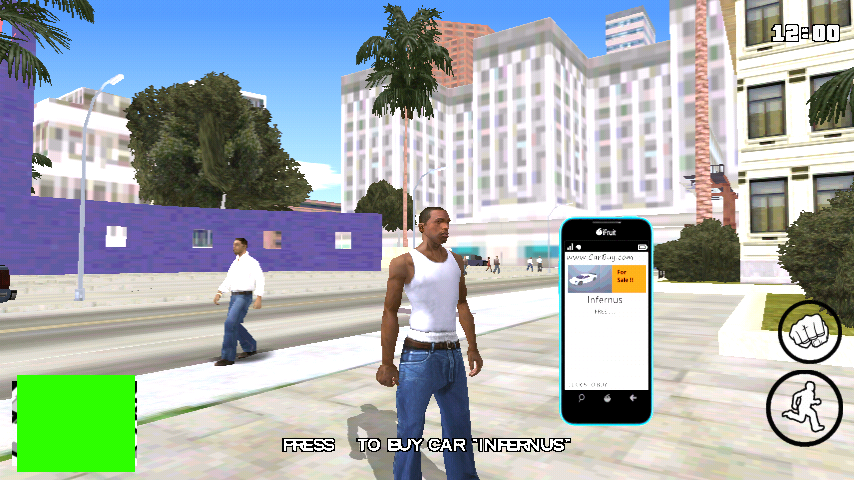
For those who wanted GTA V Phone mod, here it is. This mod will add an interactive working phone just like GTA V in GTA San Andreas Android (Mobile). The maker of this mod is "Rizky Aldi Game". It is a cleo mod so make sure cleo Android is installed in your phone. This phone will work just like GTA V. You can use it as map, to play songs, to take a picture or to surf internet. Special thanks to "Rizky Aldi Game" for sending this mod pack to us. You can also send your own mods to us by Clicking Here.

Features:

• Working Browser
• Maps
• Music Plauer
• Weather Updates
• Options
• Contacts
• Camera

To install this mod, follow these steps:


Before You Start

• Cleo Android is required to run this mod.
• If you see white texture on phone like below image, then swipe your finger from point #4 to #6 (just like you pull notification bar).
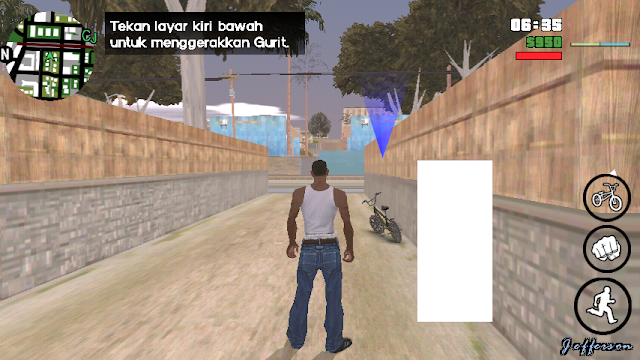

If you see white texture on phone like below image, then swipe your finger from point #4 to #6 (just like you pull notification bar).
• To uninstall this mod, delete the moved files.

Step I: Download GTA V Phone Mod GTA SA Android

• Download Mod from:
  Google Drive
  or
  Mirror Link

• Download Cleo Android:
  Download Cleo Android


Step II: Install this Mod in Your GTA SA Android

• Extract the downloaded mod.
• Move the "txd" folder present inside "TXD+BONUS (GTA V EFFECT)" folder to:   /Android/data/com.rockstargames.gtasa/files/texdb/         <here>
• And move the "models" folder present inside "TXD+BONUS (GTA V EFFECT)" folder to:   /Android/data/com.rockstargames.gtasa/files/        <here>
• Also move the "audio" folder to:   /Android/data/com.rockstargames.gtasa/files/        <here>
• Now move all the files inside "CLEO (NO CRASH)" folder to:
   /Android/data/com.rockstargames.gtasa/         <here>
• And move "adjustable.cfg" file to:

   /Android/data/com.rockstargames.gtasa/files/         <here>
Mod is installed!

Step III: Enjoy the mod

• Now run the game and enjoy the mod.

How to use this mod:

Here's a picture tutorial of how to use this cool mod. This tutorial and picture credit also goes to "Rizky Aldi Game".

GTA V Interactive Phone Mod (with Fix) installation tutorial gtaam
Touch in number 1 and 7 together to activate this mod

how to use GTA V Interactive Phone Mod (with Fix) with pictures
You can use these two buttons to navigate menu

how to use GTA V Interactive Phone Mod (with Fix)
To open the application touch at point number 4

Screenshots

GTA V Interactive Phone Mod (with Fix) by Rizky Aldi gaming version 2


GTA V Interactive Phone version 2 Mod (with Fix)

GTA V Interactive Phone Mod (with Fix)

Project V Max (Complete Edition) Mod Pack GTA SA Android

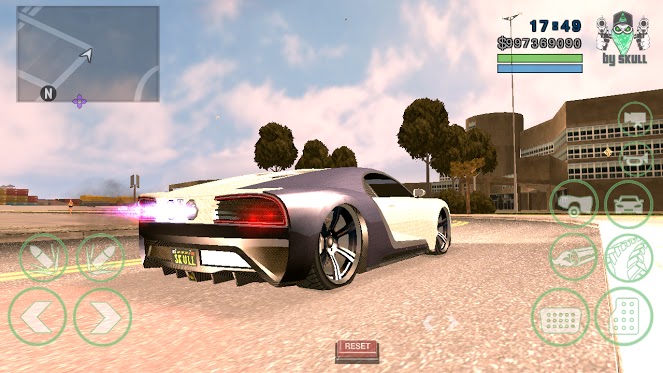
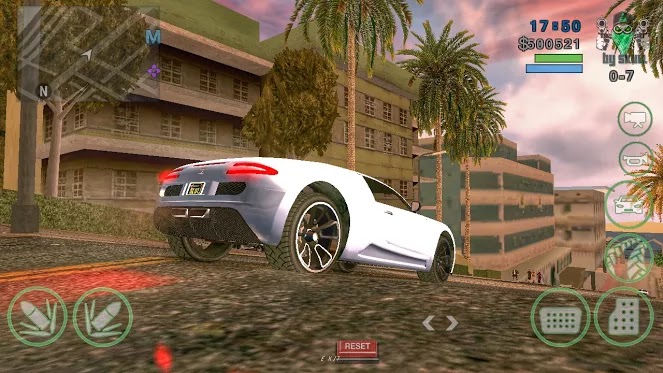
A total conversion mod for GTA San Andreas Mobile (Android) which will convert San Andreas in to Grand Theft Auto V. This mod pack is one of the biggest mod pack for GTA San Andreas Mobile (Android). It has one of the most high quality textures, enb mods, vehicles, weapons and lots of cleo scripts. The maker of this mod pack is "Jerrad Skull". You need a good specs device to run this mod pack. You can change weapons like GTA V, You can see a total new hud like GTA V, Many improved textures like new nitro and fire textures, new vehicles including cars, bikes, planes and helis and much more.

To install this mod pack please follow these steps:

Before You Start

• This mod pack will replace default vehicles, weapons, textures etc with GTA V vehicles, weapons and textures.
 To uninstall this mod pack, delete the moved files.

Step I: Download GTA V Max Complete Edition Mod Pack

• Download this mod from:
  MEGA
  or
  Mirror Link

• Download Cleo Android:
  Download Cleo Android


Step II: Install this Mod in Your GTA SA Android

• Backup GTA San Andreas Android data files and save game files. If you don't want to backup, then skip next two steps. If you want to backup then copy data files. You can find data files and save files by going to:
   /Android/obb/com.rockstargames.gtasa/      <=== Copy the "com.rockstargames.gtasa" folder!
  And move it to any safe place. So if this mod don't work you can revert back to original game.
• First of all copy the "obb" files of your GTA San Andreas Android to a safe location. Just copy the "com.rockstargames.gtasa" folder present inside:
   /Android/obb/         <here>
  And move it to a new safe location.
• After moving the "obb" files delete the "com.rockstargames.gtasa" folder present inside "/Android/obb/   <here>"
• Now uninstall the "GTA SA" from your phone. Make sure you backup the "apk" file of GTA SA Android before doing this. You can use "APK Extractor" program (free in playstore) to extract the apk of GTA SA.
• Extract the mod pack. You can use "WinRar" if you are in computer and "ES File Exlporer" if you are in Android.
• Now install the "apk" file present inside this mod pack.
• Move the "com.rockstargames.gtasa" folder present inside "Patchfile" folder (inside mod pack) to:
  <YOUR PHONE>/Android/data/          <here>
• Now move the "obb" files folder (com.rockstargames.gtasa) you backed up in above steps to:
  
/Android/obb/   <here>
Now restart your phone. 

Step III: Enjoy the mod pack

• Now run the game and enjoy the mod pack.

Screenshots:

Project V Max (Complete Edition) Mod Pack GTA SA Android GTA V cars mod pack

Project V Max (Complete Edition) Mod Pack GTA SA Android best mod pack gtaam

Project V Max (Complete Edition) Mod Pack GTA SA Android by jerrad skull

Project V Max (Complete Edition) Mod Pack GTA SA Android

bust like gta v style font gta sa android gtaam blogspot comgta v wasted style font for gta san andreas android by rizky game

With release of GTA V more and more people are playing it in their consoles and computers (GTA V is not released for phones (android and iphones), those who claim they are playing GTA V in their phones are faking it. Please do not believe them). So, with release of GTA V users want GTA V in their phones. But GTA V is not available for Phones yet. So modders have decided to make San Andreas look like GTA V. From very small change to big huge change, every mod is released by different authors. Today I am going to share another good mod with you which will change the Busted and Wasted style to GTA V Style. Its a good mod for those who want GTA V in their phones. The maker of this mod is "RIZKY ALDI GAME". This is a cleo mod so make sure cleo Android is installed in your phones to make this mod work.
To install this mod please follow these steps:


Before You Start

• Cleo Android is required to run this mod.
• To uninstall this mod, delete the moved files.

Step I: Download GTA V Wasted & Busted Style Font Mod for Android

• Download Mod from:
  Google Drive
  or
  Mirror Link

• Download Cleo Android:

  Download Cleo Android


Step II: Install this Mod in Your GTA SA Android

• Extract the downloaded mod.
• Move all the ".csa" files to:
   /Android/data/com.rockstargames.gtasa/         <here>

Step III: Enjoy the mod

• Now run the game and enjoy the mod.

GTA V Radio Hud Mod Android cleo gtaam blogspot

There are lots of GTA V Mods available for GTA San Andreas Android and PC. Here comes another one. This is the GTA V Radio Hud Mod for GTA San Andreas Android. This mod will let you change in-game radio stations with GTA V like interface. Just choose the station by touching on its icon, without scrolling or moving up and down. This is really handy if you are driving and don't have much time to choose. The maker of this mod is "Rizky Aldi Game". This is a cleo mod so make sure cleo Android is installed.
To install this mod, follow these steps:
Before You Start

• Cleo Android is required to install this mod.
• To uninstall this mod, delete the moved files.

Step I: Download GTA V Radio Hud Mod for Android

• Download Mod from:
  Google Drive
  or
  Mirror Link

• Download Cleo Android:

  Download Cleo Android


Step II: Install this Mod in Your GTA SA Android

• Extract the downloaded mod.
• Move the ".csa" file to:
   /Android/data/com.rockstargames.gtasa/         <here>
• Move the "models" folder to:
   /Android/data/com.rockstargames.gtasa/files/         <here>
• And also move the "txd" folder to:
   /Android/data/com.rockstargames.gtasa/files/texdb/         <here>
   *Create new "files" and "texdb" folder if does not exist!

Step III: Enjoy the mod

• Now run the game and enjoy the mod.

Screenshots:

GTA V Radio Hud Mod Android rizky aldi game mods

GTA V Radio Hud Mod Android gta v mods android mobile

Hakuchou Bike Mod GTA San Andreas Android GTAAM

"This super-fast sports bike can take you from zero to permanent vegetative state in under two and a half seconds. It's not a question of if this bike will kill you, but when, so pay up, and live dangerously" this is written on the description of this bike in GTA V. This mod will replace the "NRG-500" bike with Hakuchou Bike present in GTA V. The maker of this mod is "RIZKY GAMER". This is only "dff" version, means it does not require computer to install.
To install this mod you have to follow these steps:


Before You Start

• If you don't have PC then you can install this mod with "img tool android" software (free in playstore). Steps are same. CLICK HERE to know how to use img tool android to install this mod (no need pc).
• To uninstall this mod, delete the moved files.

Step I: Download Hakuchou Bike Mod Android


• Download this mod from:

   Google Drive
   or
   Mirror Link

• Download IMG tool (Android)

  Download IMG Tool Android

• Download Alci's IMG tool:

   Download IMG Tool


Step II: Install this Mod in Your GTA SA Android

• If you don't have PC. You have to follow "img tool Android tutorial"! do not follow below steps!
And if you have PC you can follow these steps:
• Extract the downloaded mod (zip file).
• Now extract your ".obb" file using winrar. (PC).
• Open IMG Tool and open
   /(extracted obb)/texdb/gta3.img
• Find and replace the two ".dff" files in this zip  and
   then goto Commands>Rebuild Archive and then exit.
• Now copy below file:
   /(extracted obb)/texdb/gta3.img (this file)
  and Paste it in your phone's:
  /Android/data/com.rockstargames.gtasa/files/texdb/             <here>
  *Make new "files" and "texdb" folder if doesn't exist

Step III: Enjoy the mod

• Now run the game and enjoy the mod.

Screenshots:

Hakuchou Bike Mod GTA San Andreas Android by rizky game

Hakuchou Bike Mod GTA San Andreas Android

GTA V Vapid Peyote Batmobile 66 car mod android download gtaam

The famous two door luxury car of GTA V is now available in Batman Edition for GTA San Andreas Android. The maker of this mod is "Automan". This mod will replace Voodoo car with Vapid Peyote Batmobile. This car is present in GTA V but it is now available for GTA San Andreas Android. After installing this mod just use car spawner mod to spawn Voodoo car and you will see this car. The car has no bugs. Works flawlessly!!
To install this mod please follow these steps:


Before You Start

• Computer is required to install this mod.
 • You can use Car Spawner Mod to spawn "Voodoo" car (and you will see this new car).
• To uninstall simply delete the moved files.


Step I: Download GTA V Vapid Peyote Batmobile 66 Android

• Download Mod from:
  Google Drive

• Download Alci's IMG tool:
   Download IMG Tool

• Download  TXD Fucker:
   Download TXD Fucker


Step II: Install this Mod in Your GTA SA Android

• Extract the downloaded mod (zip file).
• Extract your ".obb" file using winrar. (PC). Click Here if you do not know how to extract ".obb" files of GTA San Andreas Android.
• Open IMG Tool and open
   /(extracted obb)/texdb/gta3.img
• Find and replace the ".dff" model in this zip  and
   then goto Commands>Rebuild Archive and then exit.
• Now run TXD Fucker and open this file
  /(extracted obb)/texdb/gta3/gta3.txt
• Click on Import > without alpha and select all files inside "without alpha" folder.
• Exit and Copy below file and folder:
   /(extracted obb)/texdb/gta3.img (this file)
   /(extracted obb)/texdb/gta3/ (this folder)
  and Paste them in your phone's:
  /Android/data/com.rockstargames.gtasa/files/texdb/             <here>
*Make new "files" and "texdb" folder if doesn't exist


Step III: Enjoy the mod

• Run the Game and enjoy the mod.


Screenshots:

GTA V Vapid Peyote Batmobile 66


GTA V Vapid Peyote Batmobile 66 download by automan

Evade Cops Mod Android

Here comes another project reality mod. The maker of this cool mod is "vaguvix". After installing this mod you will be able to evade cops as you evade them in GTA IV and GTA V. Whenever you are wanted, start hiding from cops. If you are able to hide from cops for specific period of time, the cops will stop finding you. By the way its harder to evade cops if your wanted level is high. A very good mod for GTA San Andreas Android which adds reality and makes the game-play more realistic.
To install this mod please follow these steps:


Before You Start

• Cleo Android is required to run this mod.
• To uninstall simply delete the moved files.


Step I: Download Evade Cops Like GTA V Mod for Android

• Download Mod:
  Download Mod


Step II: Install this Mod in Your GTA SA Android

• Extract the downloaded mod (zip file).
• Move the ".csa" file to:
  /Android/data/com.rockstargames.gtasa/         <here>


Step III: Enjoy the mod

• Run the Game and enjoy the mod.

GTA V Families [Gang Members] Mod for Android GTAAM best mod download high quality

New Grove Street gang members skin for GTA SA Android. The maker of this mod is "Automan" and  "sohail842" has ported it for Android. This mod will change default Grove Street Gang Members with new GTA V gang members skin. A very good mod for those who want to have high quality gang members skin/textures. Computer is required to install this mod.
To install this mod please follow these steps:


Before You Start

• Computer is required to install this mod!
• To uninstall simply delete the moved files.


Step I: Download GTA V Grove Gang Members for Android

• Download Mod from:
  Google Drive

• Download Alci's IMG tool:
   Download IMG Tool

• Download  TXD Fucker:
   Download TXD Fucker


Step II: Install this Mod in Your GTA SA Android

• Extract the downloaded mod (zip file).
• Extract your ".obb" file using winrar. (PC). Click Here if you do not know how to extract ".obb" files of GTA San Andreas Android.
• Open IMG Tool and open
   /(extracted obb)/texdb/gta3.img
Find and replace the ".dff" models in this zip. Replace all the three ".dff" files present inside this zip   and
   then goto Commands>Rebuild Archive and then exit.
• Now run TXD Fucker and open this file
  /(extracted obb)/texdb/gta3/gta3.txt
• Click on Import > without alpha and select all files inside "without alpha" folder.
• Exit and Copy below file and folder:
   /(extracted obb)/texdb/gta3.img (this file)
   /(extracted obb)/texdb/gta3/ (this folder)
  and Paste them in your phone's:
  /Android/data/com.rockstargames.gtasa/files/texdb/             <here>
*Make new "files" and "texdb" folder if doesn't exist

Step III: Enjoy the mod

• Run the Game and enjoy the mod.


Screenshots:

high quality gang members mod for GTA SA Android download gtaam


GTA V Families [Gang Members] Mod for Android

V2 2.0 Mod Pack for GTA SA Android Final Version Download

V2 Pack is a mod pack for GTA San Andreas Android which will turn GTA SA Android to GTA V. The maker of this mod is "MWX TM" and some other modders (their names written in video and in credits section). This mod pack will convert default vehicles to GTA V, default textures to GTA V, it contains new peds, new mods, new weapons, new clouds, new sky, new timecyc and much more.... This mod pack features some of the most famous mods of some famous modders, like GTA V weapon scroll mod, Franklin Skin and many others.  If you hate default GTA SA graphics, vehicles or anything then give this mod a try.


Credits:

HAF, MacMatt, Matthias Schlemmer, OG JC cafe

Before You Start

• To extract this mod pack you need lot of free disk space.
• Cleo Android is required to use all features of this mod pack.
• Backup your game's apk and data files (including save games" before installing this mod pack.
• It is not GTA V for Android. It is a mod pack for GTA SA Android.
• No it does not work on iOS devices. Sorry!
• To uninstall simply delete the moved files.


Step I: Download V2 2.0 Mod Pack for GTA SA Android Final

• Download Mod from:
  MEGA    1.75GB

• Download Cleo Android:
  Download Cleo Android


Step II: Install this Mod in Your GTA SA Android

• Extract the downloaded mod (zip file/s).
• If you want to backup your savegame and game mods then do this:  {you can skip this step if you don't want to backup your savegames and mods
  ♦ Go to your phone's:
    /Android/data/com.rockstargames.gtasa/             <here>
  ♦ And copy all files and folder present there
  ♦ Paste them in a new safe location.
  ♦ You are done!
  ♦ If you ever wanted to restore this backup just go to:
   /Android/data/com.rockstargames.gtasa/             <here>
  ♦ Remove/Delete all files and folder present there, and paste the files and folder which you backed up!
Now to install this mod pack:
• Install the apk present inside this mod pack.
• Move the "com.rockstargames.gtasa" folder present inside this mod pack to:
   /Android/data/               <here>
  *Replace the folder if it asks, make sure you have backed up your files before replacing files


Step III: Enjoy the mod

• Run the Game and enjoy this mod pack.


Screenshots:

V2 Mod Pack for GTA SA Android Final Version Download


GTA V Version 2 Mod Pack for GTA SA Android Final Version Download


V2 Mod Pack for GTA SA Android Final Version Download awesome graphics on android mod apck


gta v mod pack for gta sa android


new grove street member mod V2 Mod Pack for GTA SA Android Final Version Download

GTA V Entity XF Super Car Mod Download for GTA SA Android

The famous GTA V super car is now available for GTA San Andreas Android. The maker of this mod is "Avenger". Entity XF is famous GTA V super car. It is famous for its simple and unique look. This mod will replace Infernus car with this car. You can use Car Spawner mod to spawn this car. To install this car mod you need a computer.
To install this mod please follow these steps:


Before You Start

• Computer is required to run this mod.
• To uninstall simply delete the moved files.


Step I: Download GTA V Entity XF Super Car Mod Android

• Download Mod from:
  Google Drive

• Download Alci's IMG tool:
   Download IMG Tool

• Download  TXD Fucker:
   Download TXD Fucker


Step II: Install this Mod in Your GTA SA Android

• Extract the downloaded mod (zip file).
• Extract your ".obb" file using winrar. (PC). Click Here if you do not know how to extract ".obb" files of GTA San Andreas Android.
• Open IMG Tool and open
   /(extracted obb)/texdb/gta3.img
• Find and replace the ".dff" model in this zip  and
   then goto Commands>Rebuild Archive and then exit.
• Now run TXD Fucker and open this file
  /(extracted obb)/texdb/gta3/gta3.txt
• Click on Import > with alpha and select all files inside "with alpha" folder.
• Again click on Import > without alpha and select all files inside "without alpha" folder.
• Exit and Copy below file and folder:
   /(extracted obb)/texdb/gta3.img (this file)
   /(extracted obb)/texdb/gta3/ (this folder)
  and Paste them in your phone's:
  /Android/data/com.rockstargames.gtasa/files/texdb/             <here>
*Make new "files" and "texdb" folder if doesn't exist

Step III: Enjoy the mod

• Run the Game and enjoy the mod.


Screenshots:

GTA V Entity XF Super Car Mod Download for GTA SA Android

Author Name

Formulir Kontak

Nama

Email *

Pesan *

Diberdayakan oleh Blogger.